
Workflow Item Tracking Panel
This panel displays the Workflow Conversation and Workflow item history where Workflow Conversation captures the comments entered on executing the Workflow events such as Approve or Reject, and Workflow item History captures the Workflow item information such as previous owner, current owner, changed by, changed on date etc.
Watch the video to learn about the Workflow Item Tracking panel.
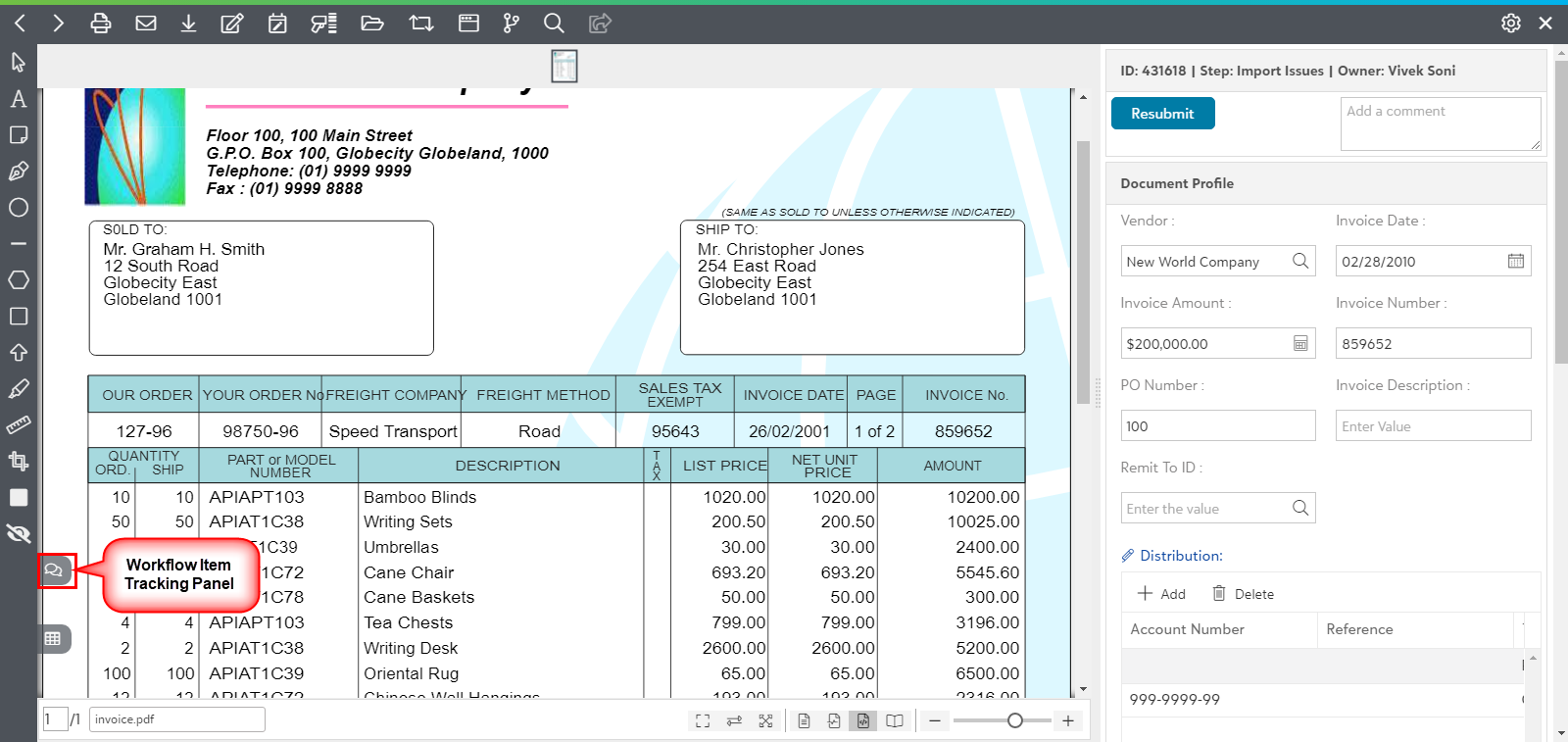
In the bottom-left corner of the screen, Click on the Workflow item Tracking panel icon  to access the Workflow Conversation and Workflow item History.
Workflow Conversation Panel
Under Workflow conversation panel, the Workflow events like accept, keyed or reject can be viewed. When the user enters a comment at the time of the executing an event, then the comment is added to the Workflow conversation.
Click on "Workflow item Tracking panel" icon in the Workflow item viewer to open the Workflow Conversation panel as shown in below screen.

Workflow Item History
When any Workflow item moves from one step to another, then the changes of the Workflow item such as previous step, Next step etc. are captured in the Workflow Item history. Thus, the details about the changes applied on the Workflow item can be viewed under Workflow history.
Click on Workflow Item Tracking panel icon in the Workflow item viewer to view the details of Workflow item. Now, Click "Workflow Item History" tab.

Workflow item history contains the below information regarding the changes for a Workflow item:
- Previous Step: This field describes the Workflow step before the change of step in the Workflow item.
- Next Step: This field describes the Workflow step after the change of step in the Workflow item.
- Changed By: This field describes the details of the user responsible for change of step in the Workflow item.
- Changed on: This field describes the date and time ( dd/mm/yyy hh:mm ) for change of step in the Workflow item.
- Previous Owner: This field describes the user owning the Workflow item before the change of step in the Workflow item.
- Current Owner: This field describes the user owning the Workflow item after the change of step in the Workflow item i.e. currently owning the Workflow item.
- Comment: This field describes the comment entered by the Workflow step owner at the time of executing the Workflow event.